This BETAFPV Aquila16 review is written after flying the kit ourselves — what you actually get in the box, how long it really stays in the air, where it makes learning FPV easier, and the two things that gave us the most trouble. If you’re weighing the Aquila16 as your first FPV drone, here’s the straight version from someone who bought one and flew it.
BETAFPV Aquila16 review: the quick verdict
The Aquila16 is a complete, ready-to-fly FPV kit aimed at beginners who don’t want to outgrow their first drone in a month, and after flying it that framing holds up. It bundles a brushless quadcopter, VR03 goggles, and an ELRS controller in one box, with assisted hovering to flatten the learning curve and three flight modes that scale from training wheels to full manual acro. The aircraft itself held up to everything we crashed it into without breaking a single part, and the parts that surprised us were on the ground rather than in the air: the bundled goggles were the friction point, not the drone. Two batteries in the box is not enough, and if you wear glasses you have a problem to solve before your first flight. Neither is a dealbreaker — but both are worth knowing before you order.
AT A GLANCE
Best for: first-time FPV pilots who want a kit they can grow into (beginner → freestyle).
Our rating: 4.5 / 5
Price: $219.99 direct from BETAFPV (checked November 20, 2026) — check the current price.
Measured flight time: 7–8 minutes per pack, in every flight mode.
Strengths: brushless power, assisted hover, survives hard crashes without breaking, ELRS + simulator support, everything in one box.
Watch-outs: only two batteries included, goggles won’t fit over glasses, channel setup takes patience, analog-only, no GPS, long charge time.
Registration: ~72.5g with battery — under the 250g threshold, so no FAA registration for recreational flying (FAA rules still apply).
WHAT I MEASURED
Flight time: 7–8 minutes per 1100mAh pack, the same in Normal, Sport and Manual.
Box to first flight: about 24 hours, mostly charging (the two packs take about 4.5 hours each), plus binding and hunting for the goggle channel.
Crashes: 30+, minor and major, over about 10 flying sessions: trees, the back of the house, hard flat hits into the ground. Zero broken parts, zero replacements. One battery popped out of its cradle.
Battery voltage: 4.32 V straight off the charger; 3.74–3.75 V on packs that had been sitting (details in our FPV battery charging guide).
Goggles: the VR03 would not fit over my glasses.
Time to acro: I started flying Manual regularly about 8 weeks after unboxing, flying around a full-time job and family, and I still switch back to Normal some days.
Check the current price at BETAFPV →
Watch: learning FPV on the Aquila16
We filmed our first flights on this kit — the wobbles, the crashes and what changed once Normal mode clicked. If you’d rather see it than read it, start here.
What is the BETAFPV Aquila16?
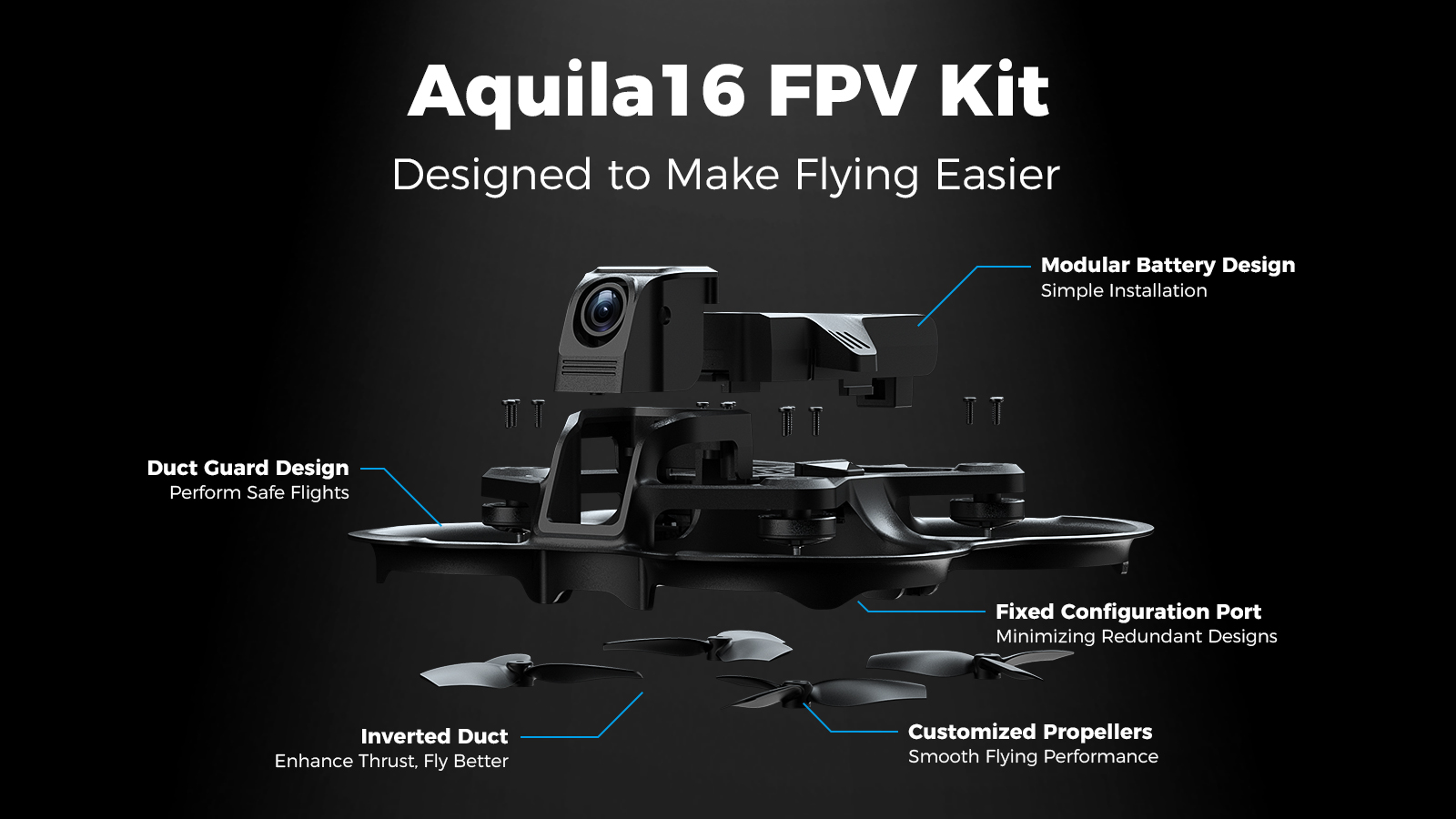
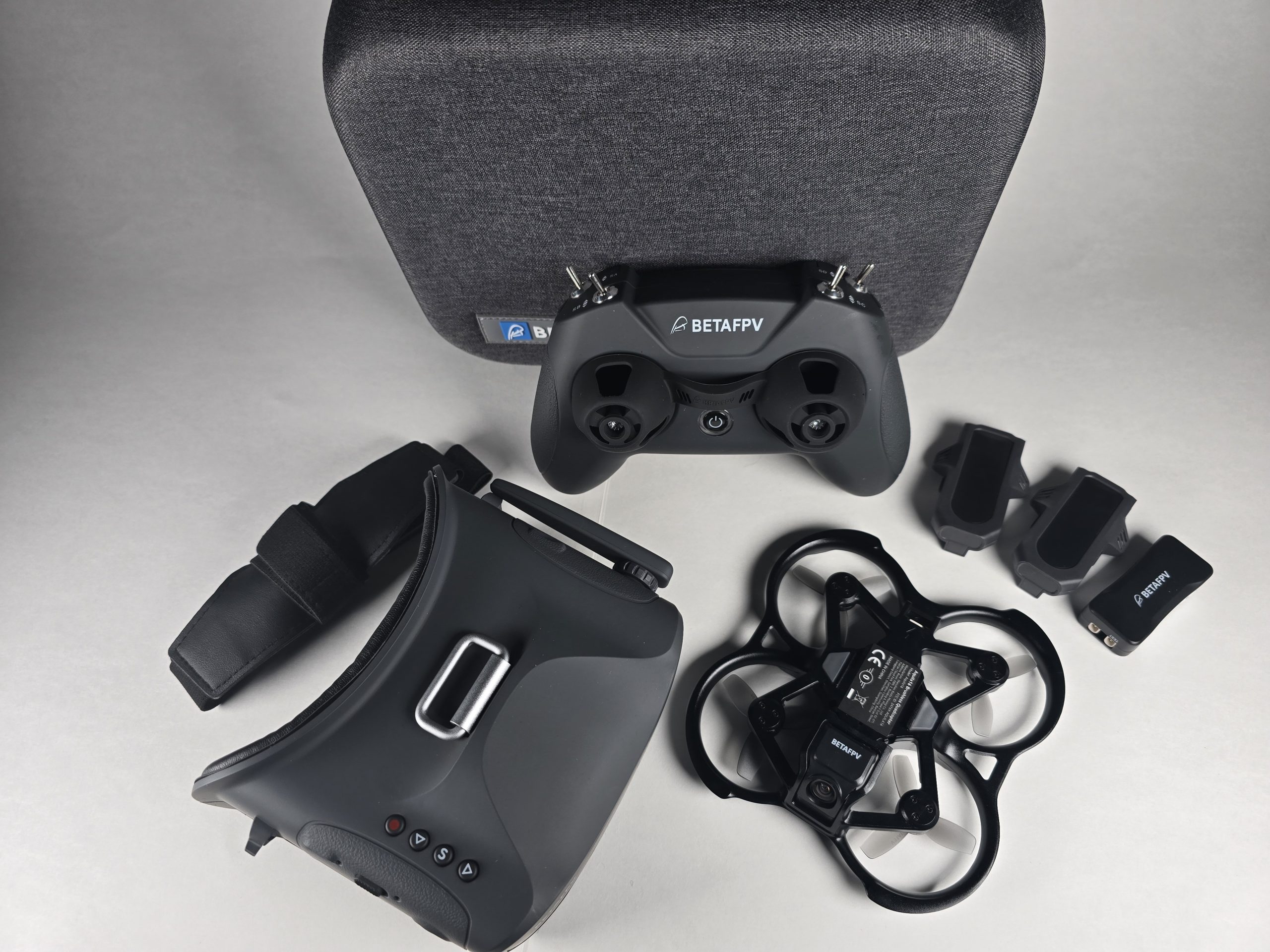
The Aquila16 is BETAFPV’s “advanced beginner” ready-to-fly (RTF) kit — meaning it’s pitched a step above the simplest entry whoops, but still built to teach. It’s an inverted (pusher) brushless quadcopter on a durable black PA12 frame, and the kit includes everything a new pilot needs to fly on day one: the drone, VR03 FPV goggles, a LiteRadio 2 SE controller, batteries, a charger, and a padded EVA carry bag. The pitch is simple: open the box, follow the quick-start guide, and fly — no separate purchases, no soldering, no compatibility guesswork.
If you’re brand new to the hobby and still fuzzy on the terminology, our beginner’s guide to what FPV is is a good primer before you read on.
Aquila16 specs at a glance
| Spec | Detail |
|---|---|
| Type | Inverted brushless quadcopter (RTF kit) |
| Motors | 1102 18000KV brushless |
| Propellers | 45mm 3-blade |
| Weight | 47.1g (no battery) / 72.5g (with 1100mAh) — under 250g |
| Battery | 1100mAh — 7–8 min measured; 650mAh optional for freestyle/racing |
| Range | ~200m (manufacturer figure) |
| Video transmitter | 25–350mW analog |
| Camera | C02, 15°–30° adjustable tilt |
| Goggles | VR03 — 4.3" 800×480 LCD, micro-SD DVR, replaceable antenna (analog) |
| Controller | LiteRadio 2 SE — ELRS 2.4G v3.0, hall-effect gimbals, ~8 hr battery |
| Flight modes | N (auto-hover) / S (sport) / M (manual/acro) |
| Charge time | ~4.5 hours |
Flight modes: how the Aquila16 grows with you
The three-mode system is the heart of the Aquila16’s beginner appeal, and it’s the part of the kit we’d most defend. N (Normal) mode uses a barometer-based altitude hold so the drone hovers in place when you let off the sticks. S (Sport) mode adds speed and agility while keeping some stability, and M (Manual/acro) mode hands you full control for freestyle and racing once your thumbs are ready.
Our advice after flying all three: start in Normal and stay there longer than you think you need to. Self-levelling and altitude hold let you spend your first flights learning to see through the goggles instead of fighting the aircraft, and that is the actual skill you’re there to build. Work up to Sport once hovering feels boring, then Manual once Sport feels slow. Trying to skip to Manual because it’s what the freestyle videos are shot in is how beginners turn a $220 kit into parts.
Coming from camera drones? Read this part
If you fly a Mavic or similar GPS camera drone, Normal mode will feel closest to home — and that’s both the good news and the trap. Camera drones teach habits that FPV punishes: waiting for the aircraft to hold position for you, flying by line of sight, and trusting that letting go of the sticks means everything stops. We brought those habits with us.
What made the difference wasn’t unlearning them on day one — it was that Normal mode holds enough of the aircraft for you that you can spend the early flights getting used to first-person view itself, which is the genuinely new thing. Once seeing through the goggles stopped feeling strange, moving up through Sport and Manual was far less intimidating than expected. If you’re a camera-drone pilot eyeing FPV, that’s the sequence we’d repeat: FPV first, modes second.
Battery life: 7–8 minutes, and two packs isn’t enough
This is the most useful number in this BETAFPV Aquila16 review, so here it is plainly: we got 7 to 8 minutes per 1100mAh pack, and that held steady across all three flight modes. Ripping around in Manual didn’t cost meaningfully more air time than hovering in Normal, which is better than we expected and matches BETAFPV’s own claim.
The problem isn’t the flight time — it’s the ratio. The kit ships with two batteries and they take roughly 4.5 hours to charge. That’s about 15 minutes of flying followed by most of an afternoon of waiting, which is a miserable way to learn anything. We bought four more packs, for six total, and that’s what we’d tell any beginner to budget for. Six packs is roughly 45 minutes of stick time per outing — enough to actually make progress in a session instead of stopping right as things start to click.
The goggles are the weak link
The VR03 goggles work, and for learning they’re adequate. They were also the source of nearly every frustration we had with this kit.
Finding the right channel took far longer than it should have. Analog video means matching the goggles to the video transmitter by band and channel, and if you’ve only ever used a camera drone that pairs itself, this is an unfamiliar and unintuitive chore. It’s a one-time problem and searching does eventually land it — but budget real time for it on day one rather than assuming you’ll be airborne in ten minutes.
If you wear glasses, the VR03 will not fit over them. We couldn’t make it work. Flying without glasses is possible, but it stacks a soft image on top of an already-soft analog feed, and the result is a noticeable handicap rather than a minor annoyance. Glasses-wearers should factor in prescription inserts, contacts, or a different goggle entirely before buying — this is a real constraint that nobody mentions, and it belongs in your decision. If you think you’ll end up replacing the goggles anyway, our FPV goggles comparison covers where to go next.
Crash durability: we tested this one thoroughly, if not deliberately
Learning FPV means crashing, so the only durability claim worth anything is one backed by actual impacts. We put in plenty: trees, the back of the house, and several hard, flat hits into the ground at speed.
Nothing broke. No cracked arms, no snapped frame, no dead motors — the PA12 airframe took everything we gave it and kept flying. The single thing that ever happened was the battery popping out of its cradle on one of the harder ground impacts, which is a thirty-second walk and a re-seat, not damage.
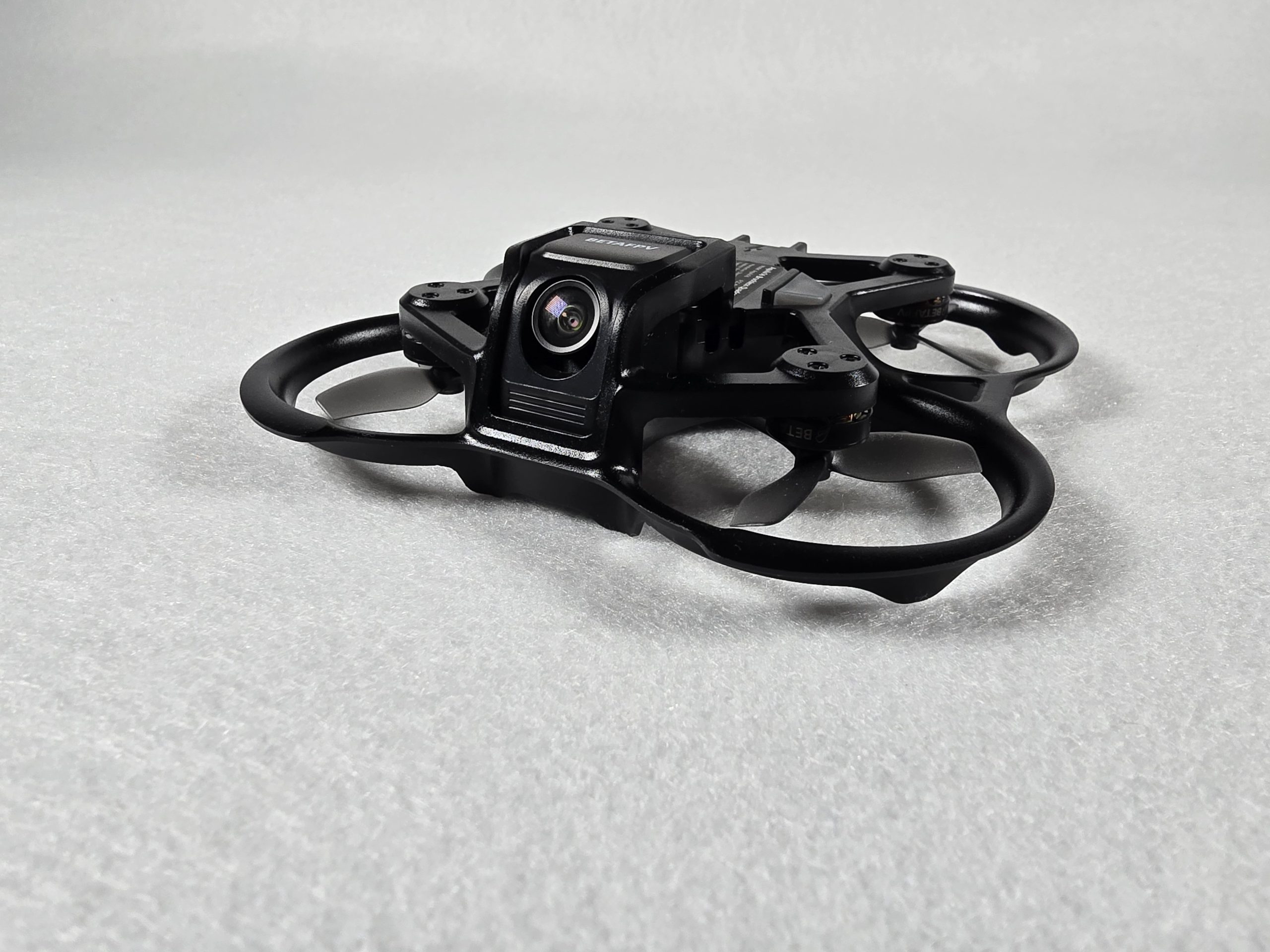
That matters more than it sounds. The real cost of a beginner FPV drone isn’t the sticker price, it’s what you spend replacing parts while you’re bad at it. We haven’t replaced a single component on this aircraft. If you’re comparing beginner kits, treat crash economics as a line item — an airframe that survives your learning curve is worth more than a slightly better camera.
Two practical notes: check the battery is fully seated before every launch, especially after a hard hit, and learn over grass rather than pavement while you’re still in Normal mode.
Fly a simulator first — it’s the cheapest thing you’ll buy
The LiteRadio 2 SE doubles as a USB joystick, which means you can plug the kit’s own controller into a computer and practise for free before risking the aircraft. We used Liftoff, and it’s genuinely useful — not a gimmick or a warm-up, but the place to burn through the mistakes that would otherwise cost you props. A few hours in a sim before your first real flight is the single highest-return thing a new FPV pilot can do, and the radio you need for it is already in the box.
What we liked about the Aquila16
- The mode progression genuinely works. Normal → Sport → Manual in one aircraft is not marketing — it’s a real learning path, and we used all three.
- Flight time is honest and consistent. 7–8 minutes regardless of how hard you fly it, which makes planning a session easy.
- Brushless power that scales. The 1102 18000KV motors are forgiving in Normal and genuinely quick in Manual, so the aircraft doesn’t become the limiting factor as your skills climb.
- ELRS and sim support out of the box. The LiteRadio 2 SE runs ExpressLRS and works as a sim controller, which removes the usual “what radio do I buy” roadblock entirely.
- It survives you. Trees, a house wall, and repeated hard ground impacts produced zero broken parts and zero replacements — the best durability result we could have asked for from a first kit.
The downsides to know before you buy
A fair BETAFPV Aquila16 review has to cover the rough edges, and there are real ones:
- Two batteries, 4.5-hour charge. The single biggest practical limitation, and the one most likely to stall your learning. Budget for four more.
- Goggles don’t clear glasses. Covered above, and a genuine buying constraint for a lot of people.
- Channel setup is fiddly. Expect to spend time on it before your first flight.
- It’s analog, not HD digital. The 350mW analog system is fine for learning and keeps the price down, but it won’t match the image of DJI or Walksnail HD setups — and if you’re flying without prescription lenses, the softness compounds.
- Turtle mode didn’t work for us. We couldn’t get turtle (flip-over-after-crash) to engage. That’s likely our own configuration error rather than a fault, and we’re still working on it — but we’d rather flag it than leave it out. Don’t count on it until you’ve tested it in your own yard.
- No GPS. There’s no position hold as a safety net, so line-of-sight discipline and a spotter matter more than they do on a camera drone.
- Setup quirks reported by others. Binding the receiver involves powering up three times, and configuration uses BETAFPV’s own Configurator rather than standard Betaflight, which catches some pilots out.
How the Aquila16 compares to other beginner kits
Against BETAFPV’s cheaper Cetus Lite, the Aquila16 is the brushless step-up: more power, more durability, and more room to grow, at a higher price. Against HD-digital setups, it’s the budget-friendly analog choice — you trade image quality for a much lower cost of entry. And against a bare bind-and-fly quad, the all-in-one kit wins for anyone who doesn’t already own goggles and a radio. A BNF aircraft is cheaper on the sticker, but only once you’ve bought the gear around it — our guide to choosing a second FPV drone covers what carries over when you do. For the wider field, see our beginner FPV drone kits guide and our beginner goggles guide.
Should you buy the Aquila16?
Yes, if it’s your first FPV drone and you budget for four extra batteries. It survived 30+ crashes without a broken part, flies a consistent 7–8 minutes per pack, and takes you from auto-hover to full acro in one aircraft. Glasses-wearers should sort out their eyewear first.
For its target buyer — a first-time pilot who wants one purchase that takes them from nervous first hover to full manual freestyle — the Aquila16 is still an easy kit to recommend, and flying it made us more confident in that, not less. The brushless power, the mode progression, an airframe that survived every crash we gave it, and the ELRS radio that doubles as a sim controller add up to a real “learn here, stay here” platform, and the all-in-one packaging removes the guesswork that stops a lot of beginners before they start.
Buy it with your eyes open on three things: order four extra batteries at the same time, sort out your eyewear situation before the box arrives if you wear glasses, and give yourself an unhurried evening for the goggle channel setup. Do those, and it’s one of the strongest on-ramps into FPV you can buy right now.
Check the latest price at BETAFPV →
🚀 Already flying acro? Once you’re comfortable in M mode, the natural next buy is a bare aircraft you can fly on the radio and goggles already in this kit — no second kit required. Our guide to your second FPV drone covers what carries over, what doesn’t, and what RTF, BNF and PNP actually cost you.
BETAFPV Aquila16 review: FAQ
How long does the Aquila16 fly on one battery?
We measured 7 to 8 minutes per 1100mAh pack, and that was consistent across Normal, Sport, and Manual modes — flying aggressively didn’t shorten it meaningfully.
How many batteries do you need for the Aquila16?
More than the two in the box. We bought four extra for six total, which gives roughly 45 minutes of flying per session. With charge times around 4.5 hours, two packs means you’ll stop flying long before you’re done learning.
Can you wear glasses with the VR03 goggles?
In our experience, no — the VR03 wouldn’t fit over glasses. Flying without them is possible but the already-soft analog image becomes a real handicap. Plan on contacts, prescription inserts, or different goggles.
Is the Aquila16 durable enough for crashes?
In our testing, yes. Over 30+ crashes we hit trees, a house wall, and the ground hard several times without breaking a single part or replacing a single component. The only thing that happened was the battery popping out of its cradle on a hard ground impact.
How long does it take to set up the Aquila16?
Plan on about a day from opening the box to your first flight. Most of that is charging (around 4.5 hours per pack); the rest is binding and finding the right goggle channel, which took us longer than anything else.
How long does it take to learn acro on the Aquila16?
It depends on how often you fly. Flying around a full-time job and family, I started flying Manual (acro) regularly about 8 weeks after unboxing, and I still use Normal mode some days. More frequent sessions, plus simulator time, will get you there faster.
Is the Aquila16 good for beginners?
Yes. The Normal-mode auto-hover and the step up through Sport and Manual make it a genuine learning platform, and the brushless motors mean you won’t outgrow the aircraft as your skills improve.
Is the Aquila16 analog or digital?
Analog. It uses a 25–350mW analog video system, which keeps the price low and is perfectly usable for learning, but doesn’t match the image quality of HD digital systems like DJI or Walksnail.
Do you need a simulator to learn FPV?
You don’t need one, but it’s the cheapest mistake-absorber available. The kit’s LiteRadio 2 SE works as a USB sim controller — we used Liftoff and found it genuinely worth the time before flying the real aircraft.
What should I buy after the Aquila16?
Because the Aquila16 includes an ELRS radio and analog goggles, your next drone doesn’t need to be another full kit — you can buy a bare bind-and-fly quad and reuse the gear you already have. For indoor flying, a ducted whoop is the usual step up; for outdoor freestyle, a 5-inch quad is the more common next move. Our guide to what carries over to your next drone walks through what you can reuse.
Do you need to register the Aquila16 with the FAA?
For recreational flying, no — at about 72.5g with the battery it’s well under the 250g registration threshold. You should still pass the free TRUST test and follow FAA recreational rules.
Final word
Having actually flown it, the takeaway from this BETAFPV Aquila16 review is straightforward: the aircraft is better than the accessories bundled around it, and that’s the right way round for a beginner kit. The flight times are honest, the mode progression does what it claims, and the frustrations we hit — battery count, channel hunting, goggles that won’t clear glasses — are all solvable before you ever take off, as long as somebody tells you about them first. Consider that done. New to the hobby? Start with what FPV actually is and how to choose FPV goggles, then come back and decide.